
Reference: 8435646528939ES
Brand: Green Stuff World
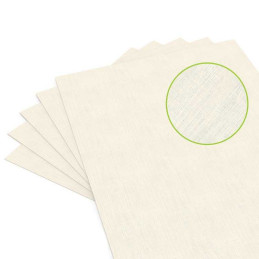
Inkjet Canvas Fabric Sheet (Beige)
Review(s): 0
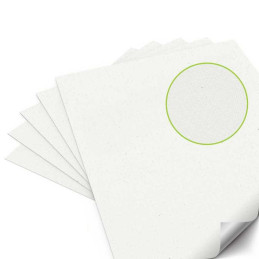
Inkjet Canvas Fabric Sheet for crafts and Cosplay (Without adhesive)
Price £14.11 Regular price £15.68
In stock

There are 4 products.
Reference: 8435646528939ES
Brand: Green Stuff World
Inkjet Canvas Fabric Sheet for crafts and Cosplay (Without adhesive)
Reference: 8435646528922ES
Brand: Green Stuff World
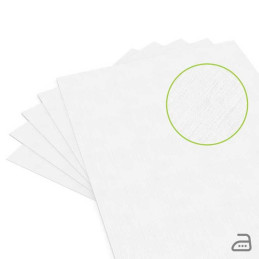
Inkjet Canvas Adhesive Fabric Sheet for crafts and Cosplay
Reference: 8435646528915ES
Brand: Green Stuff World
Inkjet Cotton Hotmelt Fabric for crafts and Cosplay
Reference: 8435646528908ES
Brand: Green Stuff World
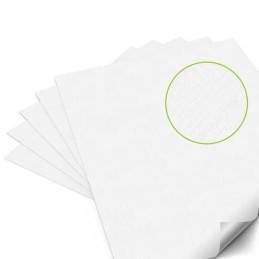
Inkjet Cotton Adhesive Fabric Sheet for crafts and Cosplay
Printable fabric sheets for inkjet printers are specially designed fabric materials with a paper backing that allows you to print designs, photos, or text directly onto fabric using a standard inkjet printer. These innovative products are ideal for a wide variety of creative and professional projects, from customizing textiles and clothing to creating art prints, labels, Cosplay ornaments, and home décor items. By offering a seamless way to transfer digital designs to flexible textiles that can be glued and sewn to other materials, they open up endless creative possibilities for artists, crafters, cosplayers, and DIY enthusiasts.
After printing, the paper backing can be peeled away, leaving the textile material ready for sewing, adhesive attachment, or heat transfer. Whether you are designing unique apparel, personalizing cushions, or crafting scrapbooking materials, these articles provide a simple and effective way to bring your ideas to life.
They work by combining them with a paper backing to create a stable surface compatible with inkjet printers. Here’s how the process typically works:
This user-friendly process enables anyone to achieve professional-looking results without specialized equipment.
They are typically made from textile materials such as:
Each type suits different projects, from patchwork and embroidery to interior décor and cosplay accessories.
Yes, most of them, including ours, can be washed, but the durability of the print depends on the type of article and ink used. To maintain print quality:
They are versatile and can be used for numerous projects, including:
Their adaptability makes them a favorite among creative professionals and hobbyists alike.
No, printable fabric sheets for inkjet printers are specifically designed for inkjet printers and are not compatible with laser printers. Laser printers use heat to fuse toner onto surfaces, which can damage them or cause poor print quality. Always use an inkjet printer for the sheet to ensure vibrant, detailed results.
To achieve optimal print quality:
Proper preparation and printer settings can significantly enhance the final output.
Yes, they can be easily cut into shapes after printing. This feature is particularly useful for creating custom patches, appliqués, and decorative pieces. Use sharp scissors or a craft knife for clean edges, and consider sealing the edges with modeling glue or a heat tool to prevent fraying.
They are safe for children’s crafts, provided they are used under adult supervision. Children can enjoy creating personalized designs for clothing, toys, or school projects. Ensure the printer and scissors are handled carefully to avoid accidents.
Here are some expert tips for working with them:
Are They Eco-Friendly?
Many of them are designed with sustainability in mind. Cotton sheets, for example, are often biodegradable, and we also offer recyclable backing papers. Choosing eco-friendly sheets helps reduce your environmental footprint while enjoying creative projects.
Can you use printable fabric sheets for outdoor projects?
Yes, but ensure you use pigment-based ink and a sealant or varnishes to enhance water and UV resistance.
Are printable fabric sheets reusable?
No, they are designed for single-use printing only.
How long do printed designs last?
With proper care, designs can last for years, especially when using pigment-based ink and following washing instructions.
Can you iron printed fabric sheets?
Yes, but use a low-heat setting and a pressing cloth to avoid damaging the design.
What printer settings should I use?
Choose “Photo Paper” or “High Quality” settings for the best results.
Do you need special software to create designs?
No, any program that supports image creation, such as Canva, Photoshop, or Microsoft Word, works well.